
Screenshots


App details
- Updated
- Oct 26, 2016
- Language
- English,German
- Category
- Mobile
SoftPas in:
This product is also available in the following languages:
About Xleaner
Download Xleaner – cleaner, utility, system optimization, PC maintenance, digital cleanup, file cleanup, performance boost, computer optimization
Overview
Xleaner is a system maintenance and optimization tool designed for Windows users seeking a lightweight alternative to established utilities like CCleaner. Positioned within the Utilities category, the application focuses on cleaning temporary files, browser caches, and other digital clutter that can degrade system performance over time. Its primary purpose is to enhance the speed and reliability of personal computers through routine maintenance tasks. While the app is free to use, it does not include premium features or subscription tiers, making it accessible to a broad audience.
Target users include individuals who manage personal or office computers and want a no-frills solution for regular digital cleanup. It appeals particularly to those who value functionality over visual polish, as the interface, while functional, is not designed with modern aesthetic standards. Despite this, the app’s straightforward layout supports quick navigation, reducing the learning curve for non-technical users. Real-world use cases include preparing a computer for a new software installation, freeing up disk space before a large download, or improving responsiveness on older machines.
The developer, Xleaner, has not provided additional information about their background or history. However, the app’s long-standing presence since its release on October 26, 2016, suggests a stable, maintenance-focused approach. In the broader app ecosystem, Xleaner occupies a niche as a minimal yet effective tool for users who prefer simplicity and do not require advanced analytics or reporting features.
Key Features & Functionality
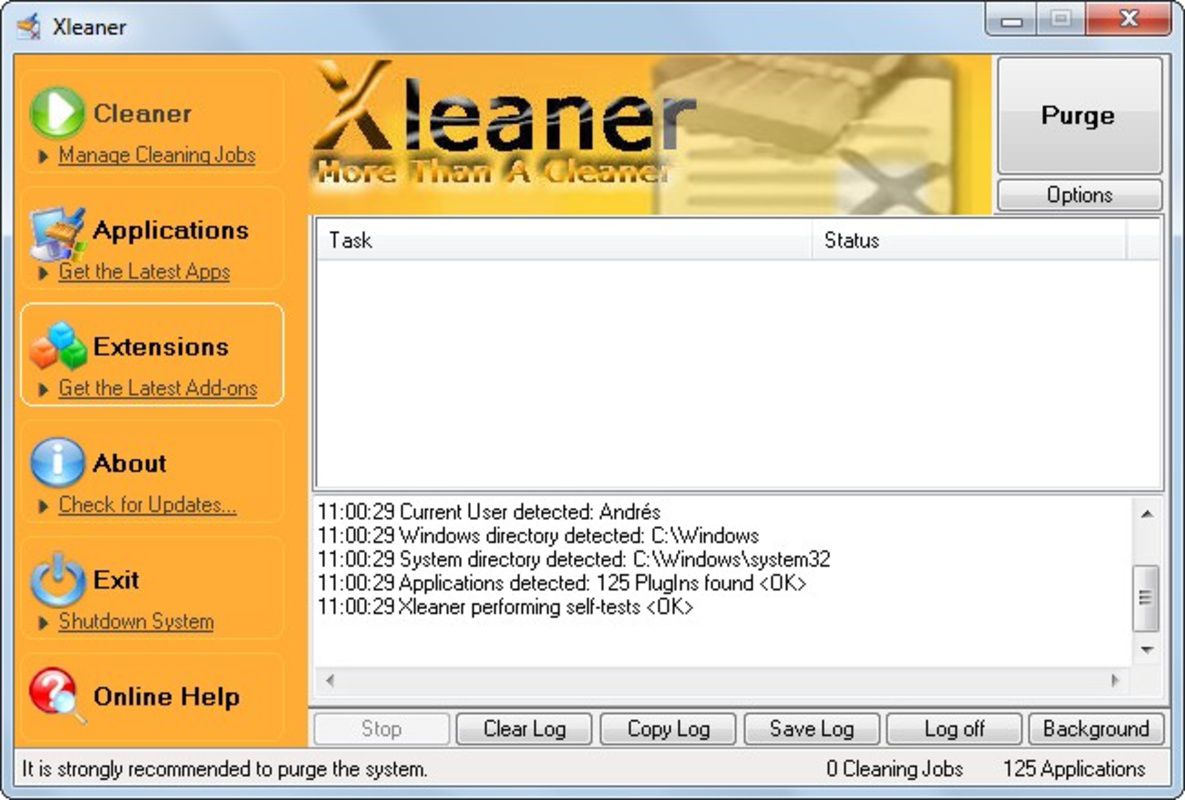
- User-Friendly Interface: Xleaner features a clean, straightforward layout that prioritizes ease of use. Navigation is direct, with clearly labeled sections for cleaning and maintenance tasks. Even users with limited technical knowledge can operate the app without confusion.
- Effective Cleaning Tools: The application targets temporary files, cache data, and log files commonly generated by operating systems and installed programs. These files accumulate over time and can consume valuable disk space, slowing down performance.
- Maintenance Features: Beyond basic cleanup, Xleaner includes tools to optimize system settings, helping maintain consistent performance. These features support long-term computer health by preventing the buildup of redundant data.
- Performance Enhancement: Regular use of Xleaner can lead to measurable improvements in system responsiveness. Users may notice faster boot times and smoother multitasking after a cleaning session.
- Minimal Feedback: One limitation is the lack of detailed reporting on cleaning activities. Users are not provided with information about what files were removed or how much space was recovered, which may affect transparency for cautious users.
For example, a user preparing for a software update might run Xleaner to free up space and reduce the risk of installation errors. Similarly, someone experiencing sluggish performance on an older machine could use the tool to reclaim resources and improve speed. While the app does not offer deep diagnostic insights, its core functions are effective for routine maintenance.
Interface, UX & Performance
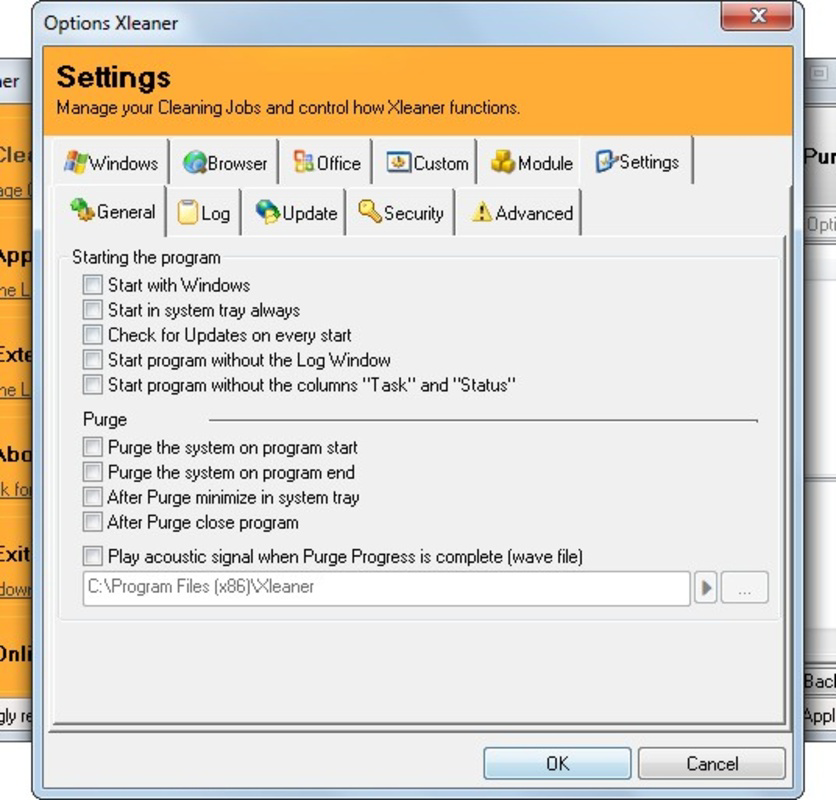
The user interface of Xleaner reflects a functional, no-nonsense design philosophy. It uses basic layouts with standard buttons and menus, avoiding visual distractions. The navigation flow is linear and predictable, allowing users to move from one task to another with minimal effort. Although the design may not align with modern UI trends, it remains intuitive and efficient for its intended purpose.
Performance is consistent across various device categories, though specific benchmarks were not provided. The app operates with a minimal footprint, consuming little memory and CPU during execution. This efficiency is particularly beneficial on older or low-spec systems where resource usage is a concern. Responsiveness is adequate, with quick load times and immediate feedback when initiating a cleanup process.
Although the developer did not list formal performance metrics, the app’s lightweight nature suggests stable operation. There are no reported issues with crashes or freezes based on publicly available data. The tool runs in the background without interfering with other applications, making it suitable for regular use. However, users seeking advanced diagnostics or real-time monitoring should consider alternative solutions.
Platform Compatibility & Technical Requirements
Xleaner is designed exclusively for the Windows platform. It supports Windows operating systems, though specific version requirements were not disclosed by the developer. The app has a file size of 1.1 MB, making it highly portable and suitable for installation on devices with limited storage.
Given its small size and focus on system maintenance, Xleaner is likely compatible with a wide range of Windows devices, including older models. However, the developer did not specify minimum OS requirements or hardware specifications. Users should ensure their system meets general Windows compatibility standards before installation. No additional software dependencies were noted.
As a free tool, Xleaner does not require registration or account creation, simplifying the installation and usage process. It can be downloaded directly and executed without complex setup procedures.
Pros and Cons
Pros
- Free to download and use with no hidden costs
- Lightweight design with minimal system resource usage
- Simple, intuitive interface suitable for non-technical users
- Effective at removing temporary and redundant files
- Regular use can contribute to improved system performance
Cons
- Limited feedback on cleaning processes and results
- Lacks detailed reporting or analytics for user transparency
- No visible updates or new features since release in 2016
- Interface design is outdated and lacks modern visual appeal
- Developer did not provide technical details or support channels
FAQ
Is Xleaner safe to use on my computer?
Xleaner is designed to remove temporary and non-essential files that do not affect system stability. It does not modify critical system components. However, users should always back up important data before performing any cleanup.
Can I install Xleaner on older Windows systems?
While the developer did not specify compatibility details, the app’s small file size and basic functionality suggest it may work on older Windows versions. Users should test it on their system to confirm compatibility.
Does Xleaner require an internet connection?
No, Xleaner operates offline. It does not need an internet connection to perform cleaning tasks or system maintenance.
How often should I use Xleaner?
Users can run Xleaner weekly or as needed, especially before installing new software or when noticing a slowdown in performance.
Is there a mobile version of Xleaner?
Currently, Xleaner is only available for Windows. There is no official mobile version for Android or iOS.
Final Thoughts
Xleaner remains a reliable option for users seeking a straightforward, free tool to maintain their Windows systems. While its interface may lack modern design elements and it offers minimal feedback on operations, its core functionality is solid and effective. The app delivers on its promise of system optimization through efficient file cleanup and maintenance, making it a valuable utility for everyday users.
It is particularly suited for individuals who prioritize performance over aesthetics and want a no-cost solution for routine digital cleanup. For those needing advanced diagnostics or real-time monitoring, more comprehensive tools may be necessary. However, for basic maintenance, Xleaner offers a practical and accessible alternative.
Download Xleaner now
Guides & Tutorials
How to install Xleaner
- Click the Download button above.
- Once redirected, accept the terms and click Install.
- Wait for the Xleaner download to finish on your device.
How to use Xleaner
This software is primarily used for its core features described above. Open the app after installation to explore its capabilities.
User Reviews
No reviews yet. Be the first to share your experience.
You may also like
more
Que no te pillen¡
About !Que no te pillen¡Reviewed by Jason A. BilbreyShow MoreShow Less

3D Combat Zone
About 3D Combat ZoneOriginally released in 1983, 3D Combat Zone immerses players...

666: El día del portal
About 666: El día del portalOn June 6, 2006, Agent P. Stone uncovers a sinister...

80 in 1 Best Flash games
About 80 in 1 Best Flash games 80 in 1 Best Flash games is a collection of 80 fl...

ABYSS SEEKERーーWhat Do You See Deep in The Abyss
About ABYSS SEEKERーーWhat Do You See Deep in The AbyssIn ABYSS SEEKER, players...

ACA NEOGEO THE KING OF FIGHTERS 2002 for Windows
About ACA NEOGEO THE KING OF FIGHTERS 2002 for WindowsTHE KING OF FIGHTERS 2002,...